
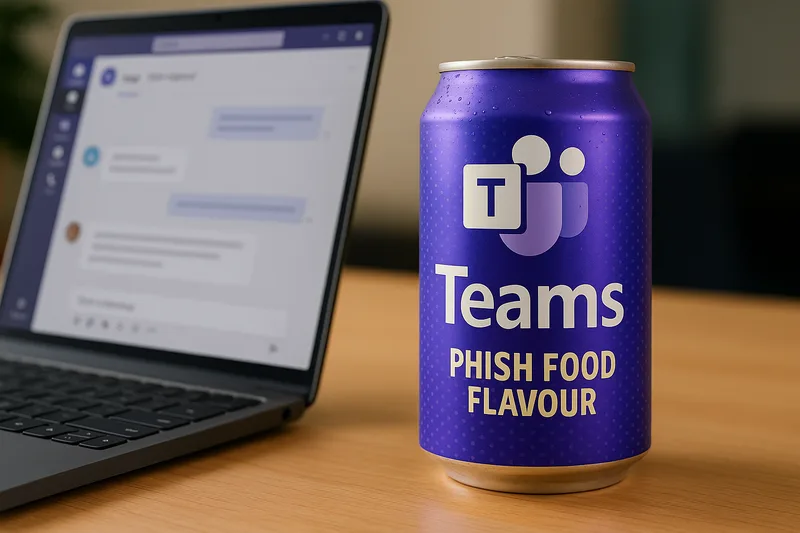
Microsoft Teams: Now Available in Phish-Flavoured
Let’s start with a fact most businesses do not want to admit. If your users will click a link in email, they will click it in Teams.
The platform used for all-hands updates, HR requests, and invoice approvals is also now a hot zone for phishing attacks. Not email-based phishing. Not spoofed PDFs. We are talking real-time phishing built directly into what looks like the Teams interface.
And users trust it. That trust is the new attack surface.
The Tycoon 2FA Kit: What It Does and Why You Should Be Scared
Tycoon 2FA is a phishing kit discovered in early 2024. It is not a cheap replica of a login screen. It is a live man-in-the-middle proxy that captures credentials and MFA codes as you type them. The attack unfolds like this:
-
A Teams message arrives, appearing to come from someone you know or a service you use.
-
The message contains a link that says you need to reauthenticate or verify your session.
-
You click it.
-
You get a real Microsoft login page. Only it’s being routed through a malicious server.
-
You enter your email, password, and MFA code.
-
The attacker logs into your account in real time while you wait for a confirmation that never comes.
There are no alerts. No malware. No signatures to catch. It is silent, effective, and extremely difficult to detect.
But It’s Microsoft…
This is the problem. People trust Microsoft. They think if a login screen appears in Teams, it must be legitimate. It’s inside the company. It’s from Redmond. It must be safe.
That is no longer true. In fact, that is precisely what makes it dangerous.
Tycoon 2FA and similar phishing kits exploit this trust. The interface looks exactly like Microsoft. The login flow is real, just routed through a hostile proxy. Even IT staff have fallen for it.
The Integration Trap
Teams is integrated with everything. Outlook, SharePoint, OneDrive, Planner, Calendar. That integration is a double-edged sword.
Once an attacker is inside, they can:
-
Access your files
-
Read your chats
-
Impersonate you internally
-
Harvest credentials from others
-
Initiate SharePoint downloads
-
Set mail forwarding rules
-
Exfiltrate data through OneDrive links
And because the session is authenticated with your credentials and MFA, there are no red flags unless you are actively watching for behavioural anomalies.
Teams Isn’t Always Bundled — But It’s Still Everywhere
As of late 2023, Microsoft no longer bundles Teams by default with Microsoft 365 in the UK and EU. That was a result of regulatory pressure around anti-competitive behaviour.
But most organisations already have it. Most have already rolled it out. And most are still treating it like a safe internal system rather than what it really is — a cloud-based chat platform exposed to both internal and external identities.
This assumption needs to die.
Conditional Access Is Not a Force Field
Conditional Access helps, but it is not a cure-all.
It does not stop valid sign-ins using real credentials. It does not prevent token theft or replay if the session is live. And unless you have hardened it properly, it will not block access from unmanaged or malicious devices.
If your policies allow sign-ins from personal devices, or your users are not required to use compliant, enrolled machines, you are exposed.
External Access and Guest Users — The Hidden Risk
Most Teams tenants still allow:
-
Guest access
-
Federated chat with other domains
-
External users in shared channels
Attackers love this.
It means they can phish you from what appears to be a legitimate user. Maybe it’s an external consultant. A contractor. A partner. Or a fake domain that looks close enough to pass casual inspection.
Every single one of these is a door. And most of them are wide open.
Real-World Impact
This is not theory. Here are two anonymised UK incidents from the last six months.
A Law Firm Compromise
A midsize law firm in Surrey had a solicitor click a Teams message asking them to log back into their Microsoft account. It was actually a Tycoon 2FA proxy link. Within two minutes, the attacker logged in, exfiltrated inbox contents, set up forwarding rules, and gained access to sensitive case files stored in SharePoint.
The breach was not discovered for three days.
A Construction Supplier Breach
An engineering company used Teams extensively with subcontractors. A subcontractor’s account was compromised. The attacker used that identity to phish the finance department with a message that looked like an overdue invoice requiring login. Two accounts were breached. Financial data was exfiltrated. Supplier payment details were changed.
It cost them over £120,000 in damages and lost trust.
What Microsoft Has Done About It
Short version: not much.
Microsoft recommends:
-
User training
-
Defender for Office and Endpoint
-
Conditional Access
-
Audit logging
None of this stops a real-time proxy attack.
Defender might catch command-and-control or exfil patterns after the fact. But the initial compromise? That’s happening in a window you won’t see unless you are actively watching every login in real time.
The Messaging Is Too Weak
Microsoft’s security blogs acknowledge that phishing is evolving. But they do not adequately explain just how dangerous real-time phishing kits like Tycoon are. They do not highlight that Teams is being used to deliver these kits. And they certainly do not tell you that your default setup is not even close to safe.
The result? Most SMEs assume they are protected. They are not.
What Needs to Change Immediately
You cannot wait for Microsoft to fix this. You need to act.
-
Review Your Teams External Access Settings Disable guest access unless it is essential. Block federation with all but explicitly approved domains.
-
Enforce Device Compliance Conditional Access should block logins from unmanaged or jailbroken devices.
-
Use Phish-Resistant MFA Move away from SMS and time-based codes. Use number matching or hardware tokens.
-
Monitor Teams Activity Use Defender, a third-party tool, or a proper SIEM. Watch for downloads, session replays, and login anomalies.
-
Disable Login via Adaptive Cards Review and control which Teams features are allowed. Block inline login prompts where possible.
-
Educate Your Users If a login prompt comes through Teams, do not trust it. Users must treat Teams links with the same caution as email.
-
Use Security Defaults Microsoft has free security defaults that can help. Turn them on. Then go beyond them.
Final Word: This Is the New Normal
Attackers are not standing still. They do not care if you bought your licence through Microsoft CSP or pay monthly for Business Premium. If you use Teams, you are a target.
This is not speculative. This is happening right now.
Every day your organisation assumes Teams is safe, you are gambling with your data, your compliance, and your reputation.
Wake up. Lock it down. And stop trusting the platform just because the login screen is branded in purple.
Want Help Fixing This?
We do this for a living. Locking down Microsoft 365. Hunting for threat vectors. Building real Zero Trust setups that do more than tick a compliance box.
Book a quick audit. Before your CFO gets a Teams message that costs you everything.