
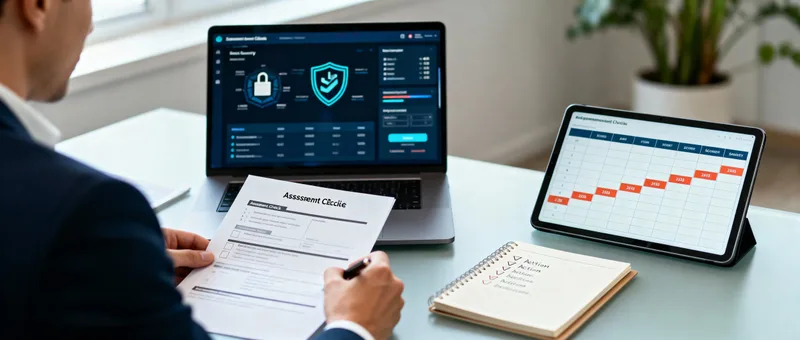
Your Insider Threat Assessment Framework: A Practical Self-Audit Guide
Why Most Security Assessments Fail Small Businesses
I’ve seen countless security assessment frameworks over the years. Most fall into two categories: either they’re so basic they tell you nothing useful (“Do you have antivirus? Check!”), or they’re so comprehensive they require a dedicated security team and three months to complete.
What small businesses need is a practical framework that:
-
Can be completed in a few hours
-
Identifies real vulnerabilities, not just compliance checkboxes
-
Provides actionable priorities, not overwhelming lists
-
Costs nothing to implement
This is that framework.
The Five Pillars of Insider Threat Defense
Based on analyzing the incidents we’ve discussed this week (57% of school breaches from insiders, the PowerSchool breach affecting 62 million students, Trevor Graves’ four-month operation), insider threat defense rests on five pillars:
-
Access Control: Who can access what, and is it appropriate?
-
Authentication: How do we verify people are who they claim to be?
-
Activity Monitoring: Can we detect unusual or unauthorized behavior?
-
Data Protection: Is sensitive data appropriately secured?
-
Incident Response: Can we respond effectively when things go wrong?
Let’s assess each one systematically.
-


        Pillar 1: Access Control Assessment


      Access control failures enabled most of the incidents we've studied. The ICO found that 97% of credential theft in schools was student-led, often because students had access they shouldn't have had.
The Access Control Self-Audit
For each question, score yourself:
0 points: No/Don’t know
-
1 point: Partially/Sometimes
-
2 points: Yes/Always
User Access Questions
-
Can you produce a list of all users and their access rights within 30 minutes? ___
-
Do you review user access rights at least quarterly? ___
-
When someone changes roles, is their access updated within 24 hours? ___
-
When someone leaves, is their access revoked within 1 hour? ___
-
Do regular users have only the minimum access needed for their jobs? ___
-
Are administrative privileges separated from regular user accounts? ___
-
Is there a documented process for requesting and approving new access? ___
-
Can you identify all accounts with administrative privileges? ___
-
Are shared accounts prohibited (or strictly limited and documented)? ___
-
Do you have a process for reviewing and removing orphaned accounts? ___
Access Control Score: ___ / 20
Interpreting Your Score:
-
16-20: Strong access control practices
-
11-15: Moderate risk, priority improvements needed
-
6-10: Significant vulnerability, immediate action required
-
0-5: Critical risk, fundamental security gaps
Immediate Actions Based on Your Score
If you scored 0-10:
-
Create a spreadsheet listing all users and their current access
-
Remove admin rights from users who don’t need them
-
Implement a process for access changes (even a simple email approval)
-
Schedule monthly access reviews until you’re confident in the system
If you scored 11-15:
-
Implement quarterly formal access reviews
-
Separate admin accounts from regular accounts
-
Document your access request and approval process
-
Audit and remove any shared accounts
If you scored 16-20:
-
Maintain your practices with regular reviews
-
Consider implementing Privileged Access Management (PAM)
-
Look for opportunities to further automate access reviews
-
Document your practices as a model for other areas
Pillar 2: Authentication AssessmentRemember those passwords written on bits of paper that the ICO found? Authentication failures are one of the most common insider threat enablers.
The Authentication Self-Audit
Authentication Strength Questions
Is multi-factor authentication (MFA) enabled for all email accounts? ___
-
Is MFA enabled for all cloud services (storage, collaboration tools)? ___
-
Is MFA required for administrative access to all systems? ___
-
Is MFA required for remote access to company systems? ___
-
Do you use a password manager for business credentials? ___
-
Are password requirements enforceable and reasonable (not forcing behaviors like writing them down)? ___
-
Are default passwords changed immediately on all new systems/accounts? ___
-
Is there a process for securely sharing credentials when necessary? ___
-
Are privileged/admin passwords different from regular passwords? ___
-
Do you monitor and alert on failed login attempts? ___
Authentication Score: ___ / 20
Interpreting Your Score:
-
16-20: Strong authentication practices
-
11-15: Moderate risk, MFA gaps exist
-
6-10: Significant vulnerability, basic authentication weaknesses
-
0-5: Critical risk, fundamental authentication failures
Immediate Actions Based on Your Score
If you scored 0-10:
-
Enable MFA on email TODAY (this is non-negotiable)
-
Implement a password manager this week
-
Change all default passwords
-
Create a password policy that people can actually follow
If you scored 11-15:
-
Expand MFA to all cloud services
-
Implement MFA for remote access
-
Review password requirements (are they forcing people to write them down?)
-
Set up failed login monitoring
If you scored 16-20:
-
Consider hardware security keys for highest-privilege accounts
-
Implement adaptive authentication (context-aware access)
-
Review and refine MFA user experience
-
Document your authentication architecture
Pillar 3: Activity Monitoring AssessmentTrevor Graves operated for four months before detection. Every extra day attackers have access increases damage exponentially. Monitoring enables detection.
The Activity Monitoring Self-Audit
Monitoring Capability Questions
Do you log login activity (who, when, from where)? ___
-
Do you review login logs at least weekly? ___
-
Are you alerted to logins from unusual locations? ___
-
Do you monitor file access and downloads? ___
-
Are you alerted to mass data downloads or unusual volume? ___
-
Do you log and monitor administrative actions? ___
-
Can you review what a specific user accessed in the past 30 days? ___
-
Do you monitor after-hours access to sensitive systems? ___
-
Is there a process for investigating suspicious activity? ___
-
Are monitoring logs retained for at least 90 days? ___
Activity Monitoring Score: ___ / 20
Interpreting Your Score:
-
16-20: Strong monitoring capabilities
-
11-15: Moderate risk, detection gaps exist
-
6-10: Significant vulnerability, limited visibility
-
0-5: Critical risk, essentially blind to insider activity
Immediate Actions Based on Your Score
If you scored 0-10:
-
Enable basic logging in existing systems (Microsoft 365, Google Workspace have built-in tools)
-
Set up alerts for admin account usage
-
Review logs weekly (schedule it like any other meeting)
-
Document what you’re monitoring and why
If you scored 11-15:
-
Implement alerting for unusual access patterns
-
Expand monitoring to cover data downloads
-
Create investigation procedures for suspicious activity
-
Ensure logs are retained for appropriate periods
If you scored 16-20:
-
Consider SIEM (Security Information and Event Management) solution
-
Implement behavioral analytics
-
Automate more of your monitoring and alerting
-
Regular review and tuning of monitoring rules
Pillar 4: Data Protection AssessmentItem descriptiWhen Vice Society leaked 500 gigabytes of school data, including safeguarding reports about vulnerable students, it demonstrated that data breaches have consequences that last forever.
The Data Protection Self-Audit
Data Security Questions
Do you have an inventory of what sensitive data you hold? ___
-
Is sensitive data encrypted at rest? ___
-
Is sensitive data encrypted in transit? ___
-
Do you have data retention policies and follow them? ___
-
Is there a process for securely deleting data that’s no longer needed? ___
-
Are backups encrypted and stored securely? ___
-
Do you test backup restoration at least quarterly? ___
-
Is sensitive data segmented from general business data? ___
-
Do you have Data Loss Prevention (DLP) tools or processes? ___
-
Can you identify and respond to unauthorized data movement? ___
Data Protection Score: ___ / 20
Interpreting Your Score:
-
16-20: Strong data protection practices
-
11-15: Moderate risk, data could be better protected
-
6-10: Significant vulnerability, data at risk
-
0-5: Critical risk, data essentially unprotected
Immediate Actions Based on Your Score
If you scored 0-10:
-
Create an inventory of sensitive data (where is it stored?)
-
Implement backup encryption
-
Test that you can restore from backups
-
Enable encryption for data at rest (most cloud services offer this)
If you scored 11-15:
-
Implement data retention and deletion policies
-
Segment sensitive data from general data
-
Consider DLP tools for critical data
-
Review and improve backup security
If you scored 16-20:
-
Implement advanced DLP capabilities
-
Consider data classification scheme
-
Automate retention and deletion processes
-
Regular testing of data protection measureson
Pillar 5: Incident Response AssessmentBlacon High School was closed for five days after a ransomware attack. Having a plan doesn't prevent incidents, but it dramatically reduces their impact.
The Incident Response Self-Audit
Response Capability Questions
Do you have a documented incident response plan? ___
-
Does everyone know who to contact when they suspect a security incident? ___
-
Have you practiced your incident response in the last 12 months? ___
-
Do you have relationships with external incident response resources? ___
-
Can you isolate compromised systems quickly? ___
-
Do you have a communication plan for stakeholders during incidents? ___
-
Is there a process for preserving evidence during investigation? ___
-
Do you have cyber insurance with appropriate coverage? ___
-
Do you know your legal obligations for breach notification? ___
-
Is there a process for learning from incidents and updating defenses? ___
Incident Response Score: ___ / 20
Interpreting Your Score:
-
16-20: Strong incident response capability
-
11-15: Moderate risk, some gaps in response plan
-
6-10: Significant vulnerability, unprepared for incidents
-
0-5: Critical risk, no effective incident response
Immediate Actions Based on Your Score
If you scored 0-10:
-
Create a basic incident response plan (even one page is better than nothing)
-
Establish clear contact procedures
-
Identify external resources you could call (IT support, cybersecurity firms)
-
Review cyber insurance options
If you scored 11-15:
-
Practice your incident response with tabletop exercises
-
Develop stakeholder communication templates
-
Document evidence preservation procedures
-
Review and update cyber insurance coverage
If you scored 16-20:
-
Conduct realistic incident simulations
-
Establish relationships with forensics providers
-
Regular updates to response procedures
-
Share lessons learned across the organization
Your Overall Insider Threat PostureAdd up your scores from all five pillars:
Total Score: ___ / 100
Overall Risk Assessment
80-100: Strong Posture
You have solid insider threat defenses
-
Focus on continuous improvement and testing
-
Consider yourself a model for peer organizations
-
Document and share your practices
60-79: Moderate Risk
-
You have foundation security measures
-
Priority gaps need addressing
-
Focus on the lowest-scoring pillars first
-
Consider engaging external assessment
40-59: Significant Risk
-
Major vulnerabilities exist
-
Insider threats could succeed relatively easily
-
Immediate action required on multiple fronts
-
Consider this a business priority, not just IT concern
0-39: Critical Risk
-
Fundamental security failures present
-
You are highly vulnerable to insider threats
-
Immediate comprehensive action required
-
Consider engaging professional security assistance
The Prioritization Matrix
You’ve identified gaps. Now what? Not everything can be done at once. Here’s how to prioritize:
Impact vs. Effort Matrix
High Impact, Low Effort (Do First):
-
Enable MFA on email and cloud services
-
Review and remove unnecessary user access
-
Set up basic login monitoring alerts
-
Test backup restoration
High Impact, High Effort (Plan and Execute):
-
Implement comprehensive access management
-
Deploy enterprise password manager
-
Establish formal incident response program
-
Implement network segmentation
Low Impact, Low Effort (Quick Wins):
-
Update password policy documentation
-
Create security awareness posters
-
Schedule regular access reviews
-
Enable audit logging
Low Impact, High Effort (Defer):
-
Complex compliance frameworks
-
Sophisticated behavioral analytics
-
Enterprise-grade SIEM
-
Advanced threat hunting capabilities
Your 90-Day Action Plan
Based on your assessment, here’s a structured 90-day improvement plan:
Days 1-7: Critical Gaps
Focus exclusively on your lowest scores:
-
If Authentication scored lowest: Enable MFA everywhere possible
-
If Access Control scored lowest: Audit and remove excessive access
-
If Monitoring scored lowest: Enable and review basic logging
-
If Data Protection scored lowest: Test and secure backups
-
If Incident Response scored lowest: Create basic response procedures
Days 8-30: Foundation Building
Address second-priority items:
-
Implement password manager
-
Establish regular access reviews
-
Set up critical monitoring alerts
-
Document data inventory
-
Create incident response contact list
Days 31-60: Capability Development
Build on foundation:
-
Expand MFA to all systems
-
Implement role-based access control
-
Deploy monitoring for unusual activity
-
Encrypt sensitive data at rest
-
Practice incident response
Days 61-90: Testing and Refinement
Validate and improve:
-
Test access controls with simulated scenarios
-
Review and tune monitoring alerts
-
Test backup restoration procedures
-
Conduct tabletop incident response exercise
-
Document lessons learned and update procedures
Measuring Progress
Security isn’t about perfection; it’s about continuous improvement. Measure your progress:
Monthly Metrics
Track these monthly:
-
Number of users with admin access (should decrease)
-
Percentage of accounts with MFA enabled (should increase)
-
Average time to detect unusual activity (should decrease)
-
Backup test success rate (should be 100%)
-
Time to revoke access for departed employees (should decrease)
Quarterly Review
Every quarter:
-
Repeat this assessment
-
Compare scores to identify improvement
-
Identify emerging risks
-
Update priorities based on threat landscape
-
Share results with leadership
Annual Assessment
Annually:
-
Comprehensive security assessment
-
External penetration testing
-
Incident response simulation
-
Review cyber insurance coverage
-
Update security strategy
The Cultural Element
Technology and processes are essential, but culture determines whether they’re effective. Assess your security culture:
Cultural Assessment Questions
Answer honestly:
-
Do employees feel comfortable reporting security concerns? ___
-
Is security seen as everyone’s responsibility, not just IT’s? ___
-
Are security mistakes treated as learning opportunities? ___
-
Do leaders model good security behavior? ___
-
Is security considered in business decisions, not just afterward? ___
If you answered “no” to any of these, you have cultural work to do alongside technical improvements. The best technology can’t overcome a culture that treats security as an impediment.
Common Assessment Pitfalls
Avoid these mistakes:
-
Being Too Harsh: Scoring yourself all zeros doesn’t help. Be honest, but recognize partial credit.
-
Being Too Generous: Giving yourself points for things you “plan to do” but haven’t actually done yet.
-
Analysis Paralysis: Spending weeks on assessment instead of taking action.
-
Ignoring Culture: Focusing only on technical controls while ignoring human factors.
-
One-and-Done: Treating assessment as a one-time exercise rather than ongoing process.
What to Do with This Assessment
If You’re a Business Owner:
-
Use this to understand your risk level
-
Allocate budget based on priorities
-
Hold leadership accountable for improvements
-
Review progress monthly
If You’re IT Staff:
-
Use this to identify technical gaps
-
Build business case for security investments
-
Create roadmap for improvements
-
Track and report progress
If You’re a Manager:
-
Understand security expectations for your team
-
Support security initiatives
-
Model good security behavior
-
Advocate for necessary resources
The Reality Check
Here’s what this assessment won’t do:
-
Guarantee you’ll never experience an incident
-
Replace professional security assessment
-
Address every possible security concern
-
Solve all problems immediately
Here’s what it will do:
-
Identify your biggest gaps
-
Provide actionable priorities
-
Create roadmap for improvement
-
Enable measurement of progress
Your Next Steps
-
Complete the assessment today: Block 2 hours and work through it honestly
-
Identify your lowest-scoring pillar: That’s your priority
-
Take one action this week: Don’t wait for perfect plan, start improving now
-
Schedule monthly reviews: Put them in calendar now
-
Share results with leadership: Security needs organizational support
Remember what we learned from this week’s case studies: Matthew Lane breached PowerSchool affecting 62 million students. Trevor Graves operated for four months changing grades. Vice Society leaked 500GB of school data. Blacon High School was closed for five days. Three Year 11 students hacked their school with basic tools.
These incidents succeeded because of failures in one or more of the five pillars. Your assessment identifies where you’re vulnerable to similar incidents.
The question isn’t whether you’ll face insider threats. It’s whether you’ll be prepared when you do.
Tomorrow’s post wraps up the week with consolidated action items and resources to implement everything we’ve discussed.
Sources
| Source | Article |
|---|---|
| Information Commissioner’s Office | Insider threat of students leading to increasing number of cyber attacks in schools |
| Reuters | Massachusetts student to plead guilty over PowerSchool data breach and 2.85m dollar extortion |
| US Department of Justice | Former student sentenced for damaging University of Iowa computer network |
| Center for Internet Security | 2025 K12 cybersecurity report |
| The Register | UK school shuts after ransomware attack, devices rebuilt |